If you have spent any time exploring the visual novel community, you have almost certainly encountered references to patches — translation patches, restoration patches, bug fix patches, and all-ages patches. Understanding how visual novel patches work is one of the most practical skills a serious reader can develop, because patches unlock access to a significant portion of the catalogue that would otherwise be unavailable or incomplete.
This guide explains what visual novel patches are, the different types that exist, how they work technically, and how to apply them correctly.
What Is a Visual Novel Patch?
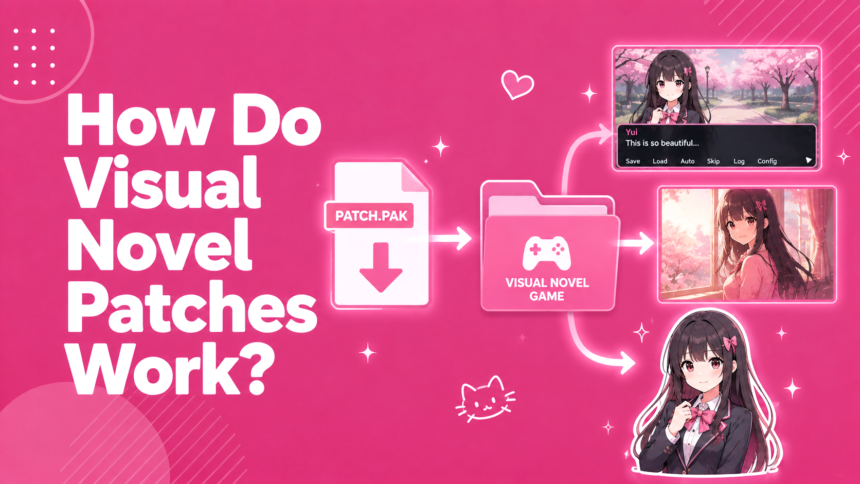
A visual novel patch is a file or set of files that modifies an existing visual novel installation. Patches do not replace the game — they require the original game to already be installed, and they alter specific files within that installation to change what the game displays, plays, or does.
The most common types of patches in the visual novel community are:
Translation patches — which replace Japanese text with English (or another language) translations. Restoration patches — which re-add content that was removed from a localised release. Bug fix patches — which correct errors in the original or localised release. Voice patches — which add voice acting to a game that was released without it, or restore voices removed in a port.
Each type works on the same underlying principle: replacing or modifying the game’s data files to produce a different output when the game runs.
Translation Patches
Translation patches are the most important type for Western readers of the visual novel catalogue. A large portion of the Japanese visual novel library has never received an official English localisation — fan translation groups bridge this gap by producing patches that replace the Japanese script with their own English translation.
How a Translation Patch Works
A visual novel stores its text in one of several formats depending on the engine used. Kirikiri games store scripts in .ks files packed inside .xp3 archives. NScripter games store text in nscript.dat files. Ren’Py games store scripts in .rpy or compiled .rpyc files.
A translation group extracts these script files from the game’s archives, replaces the Japanese text with English translations in the script format, and then repackages the modified files. The patch installer places the modified files in the correct location within the game’s directory, overwriting or supplementing the originals.
When the game runs after patching, it reads the modified script files and displays the translated text instead of the original Japanese. The art, music, voice acting, and everything else remains unchanged — only the text has been replaced.
Types of Translation Patch Distribution
Translation patches are distributed in several ways depending on the group and the game’s engine:
An executable patcher — a .exe file that automatically locates your game installation and applies the patch files in the correct locations. This is the most user-friendly format and the most common for well-maintained translations.
A manual file replacement — a set of files that you copy into the game’s directory yourself, following instructions in the patch’s readme. More common for older patches or simpler games.
A pre-patched installer — a complete installation package that includes the translation applied. This is less common for legitimate patches because distributing a complete game package typically requires distributing the copyrighted original game files alongside the translation.
Finding Translation Patches
VNDB (Visual Novel Database) is the most reliable starting point. Every visual novel’s page lists its known releases, including fan translations. The release entries indicate whether a translation is complete, partial, or in progress. VNDB links to the translation group’s release page where possible.
TLWiki is a community wiki that has hosted translation project documentation since the mid-2000s. Some pages are outdated, but it remains a useful archive for older patches and projects.
Fuwanovel covers fan translation news and sometimes hosts patch guides for specific titles.
Community spaces like r/visualnovels and specific visual novel Discord servers maintain updated lists of available translations and can point you toward active projects. The full guide on how to translate a visual novel covers both the fan translation process and how to find reliable patches in more detail.
Restoration Patches
Restoration patches re-add content that was removed from a game during its localisation or console port. The most common form is the adult content restoration patch — re-adding explicit content that was removed when a title was localised for Western markets or ported from PC to console.
Many celebrated visual novels — Fate/stay night, Clannad, Little Busters! — originally released as adult PC titles in Japan. When these games were localised or ported to all-ages platforms, explicit scenes were removed or replaced with non-explicit alternatives. Restoration patches re-add the original content for players who want the complete original version.
The guide on what all-ages means in visual novels covers the distinction between all-ages and adult releases in more detail.
How Restoration Patches Work
A restoration patch replaces modified scenes or script sections with the original content. For adult content restoration, this typically involves replacing script files that contain the modified scenes with the original pre-localisation versions, and adding back any CG image files that were removed.
The patch installer places the original files back in the game directory, and when the game runs, it accesses the restored content instead of the modified localisation.
Some restoration patches require combining assets from different game versions — for example, using the English translated script from the localised version alongside the original adult scenes from the Japanese version. These patches are more complex to produce and apply but provide the most complete experience.
Bug Fix and Quality Improvement Patches
Bug fix patches correct errors in official releases — translation mistakes, display glitches, broken script logic, or audio timing issues. Several high-profile localisations have received community-produced bug fix patches that significantly improve the experience over the official release.
The Higurashi When They Cry series is the most notable example: the 07th-Mod project produced a comprehensive patch for the Steam releases that restores the original art style (replaced with new artwork in the official release), fixes translation issues, adds voice acting from the console releases, and resolves numerous bugs. Many community members consider the 07th-Mod patch essential for the best reading experience of these titles.
The Fate/stay night Réalta Nua Ultima Edition patch is another example — a fan patch that combines assets from multiple releases of the game to produce a version with the best available translation, voice acting, and visual quality. This kind of patch requires careful installation but produces a meaningfully better experience than any single official release.
Voice Patches
Voice patches add voice acting to games that were released without it, or restore voices that were removed in a specific port or edition.
The Fate/stay night fan translation uses voices from the Réalta Nua PS2 release, which had full voice acting, applied to the PC version’s script. Little Busters! English Edition on Steam does not include voice acting, but a community voice patch adds voices from the Japanese release. These patches work by adding audio files and modifying the script to call them at the correct moments during gameplay.
How to Apply a Visual Novel Patch: General Process
While the exact steps vary by patch and game, the general process follows the same pattern.
Step 1: Obtain the Original Game
Patches require the original game to already be installed. Most fan translation patches specify which version of the game they are compatible with — version mismatches cause patches to fail or produce errors. Confirm you have the correct version before downloading a patch.
Step 2: Read the Readme File
Every well-maintained patch includes a readme or installation guide. Read it in full before doing anything else. The readme specifies the required game version, any prerequisites, the installation steps in order, and known issues. Skipping the readme is the most common cause of installation problems.
Step 3: Run the Patcher or Copy Files
For executable patchers: run the .exe file, point it to your game’s installation directory when prompted, and let it complete. For manual patches: copy the provided files to the correct locations within your game directory as specified in the readme.
Step 4: Check Your Locale Settings
Many older Japanese visual novels require Windows to be set to Japanese locale to display text correctly, even after applying an English translation patch. If text appears garbled after patching, locale settings are almost always the cause. The guide on how to play visual novels on Windows covers locale setup, and Locale Emulator is the recommended free tool for running individual games in Japanese locale without changing your system settings.
Step 5: Launch and Test
Launch the game and advance to the first scene with dialogue. Confirm the text displays correctly in English. If anything looks wrong — garbled text, missing images, audio that does not play — consult the patch’s troubleshooting documentation or the community spaces where the patch was released.
Common Problems and Solutions
Patch Fails to Detect the Game Installation
This usually means the patcher cannot find the game files at the expected location. Either navigate to the game directory manually in the patcher’s file browser, or ensure the game is installed in a standard location without unusual characters in the file path.
Text Appears Garbled After Patching
Locale issue. Set Windows system locale to Japanese or use Locale Emulator as described above.
Version Mismatch Error
Your game version does not match what the patch requires. Check the patch’s documentation for the required version and ensure your installation matches.
Antivirus Flags the Patcher
Some antivirus tools flag patch executables as potentially malicious because they modify game files in ways that pattern-match to general-purpose modification tools. If you have verified the patch is from a legitimate source — the translation group’s official release page, linked from VNDB — this is almost certainly a false positive. Temporarily disable your antivirus for the installation if needed, then re-enable it immediately after.
Missing Audio or Voices After Patching
If a voice patch requires audio files from a specific release, confirm those files are present in the location the patch expects. Some voice patches require you to obtain audio files from the original Japanese release separately and place them in a specific directory before running the patcher.
A Note on Legality and Ethics
Fan translation patches are copyright-grey territory. They require you to own the original game — the patch files themselves do not include the copyrighted game content. The translation text itself is new creative work produced by the fan group, but it is applied to a copyrighted game without the rights holder’s permission.
In practice, most Japanese publishers tolerate fan translations of titles they have not officially localised, viewing them as evidence of Western interest rather than commercial competition. Some publishers have taken down specific fan translations, particularly for titles they were preparing to officially localise. The guide on whether to pirate visual novels covers the distinction between legitimate fan patching of owned games and piracy more broadly.
The ethical community norm is clear: use fan translations applied to legitimate copies of games you own. Downloading pre-patched game packages that include the full copyrighted game alongside the translation is piracy regardless of the translation’s fan-made status.
Patches are one of the primary ways the visual novel community maintains and extends access to the catalogue, and knowing how they work is part of being a well-equipped reader. The full guide on how to play Japanese visual novels covers patching as part of the broader process of accessing the Japanese catalogue, and the visual novel glossary covers patch-related terminology — fan translation, restoration patch, all-ages patch, voice patch — that comes up in community discussion.
For titles where walkthroughs are helpful alongside patch installation, the visual novel walkthroughs section covers specific titles with route guides once you have the game running correctly.