Backgrounds are one of the most important visual elements in any visual novel. Every scene that the reader spends time in needs one, and the quality, style, and consistency of your backgrounds shape the visual identity of the whole project. They are also one of the most challenging assets to produce, particularly for developers who are writers or programmers first and artists second.
The good news is that there is no single correct way to make visual novel backgrounds. Professional studios use entirely different methods from indie developers, and both can produce compelling results. This guide covers every major approach — from drawing from scratch to photo manipulation, from 3D rendering to using free pre-made assets — so you can find the method that fits your skills, budget, and aesthetic goals.
If you are just starting to build a visual novel and want to understand how backgrounds fit into the broader production picture, our guide to how to create a visual novel covers the full development process including how to plan your asset list from the start.
What Makes a Good Visual Novel Background
Before getting into how to make backgrounds, it is worth understanding what they are actually supposed to do — because that shapes every decision you make about how to create them.
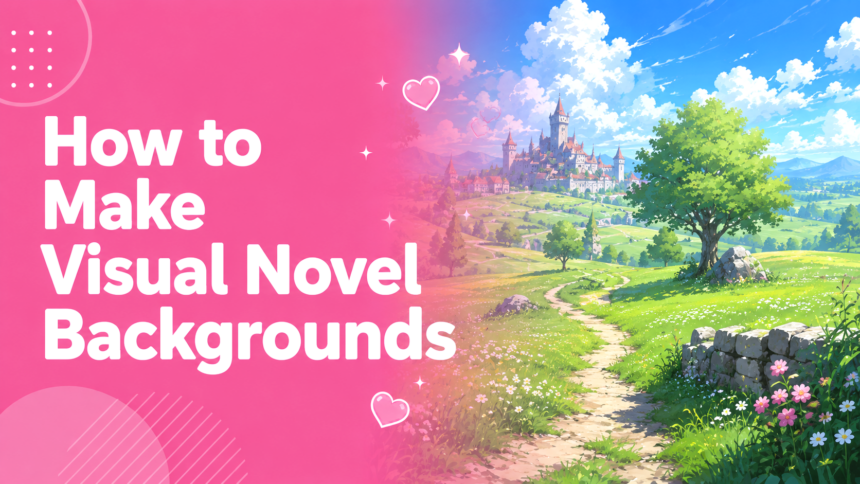
A visual novel background establishes where and when a scene is happening before a single line of dialogue appears. It communicates time of day, location, atmosphere, and emotional register at a glance. A twilit bedroom feels different from a sun-drenched classroom, and that difference is doing narrative work. The background is the stage on which your characters and story unfold.
The key functional requirement is that a background must work as a stage rather than a focal point. Your character sprites sit in front of it, and your text box overlays the bottom portion. The background needs to be visually interesting enough to establish atmosphere, but not so busy or visually competitive that it pulls the reader’s attention away from the characters and the text. Balanced, legible composition matters more than intricate detail, particularly in the lower half of the image where sprites and text will sit.
Style consistency across all your backgrounds matters as much as the quality of any individual one. A visual novel where some backgrounds look photographic, some are hand-painted, and some are 3D renders will feel visually incoherent no matter how well each individual image is executed. Whatever method you choose, commit to it across the whole project.
Resolution and Technical Specifications
Before creating any background art, establish your game’s target resolution and work to it from the start. Changing these specifications mid-production means redoing work.
The standard resolution for modern visual novels targeting PC is 1920×1080 pixels (1080p). This is the most common monitor resolution and should be the default unless you have specific reasons for another choice. For older-style or mobile-focused visual novels, 1280×720 (720p) is still widely used and results in smaller file sizes.
Always create your background art at the target resolution or larger. As the Lemma Soft Forums consistently advise, it is always better to work at a larger size and scale down than to work small and scale up — scaling up introduces blurring and visual degradation. Many developers work at 2x or even 4x the target resolution and scale down for the final game files. Working at 1920×1080 for a 1920×1080 game is a reasonable minimum; working at 3840×2160 and scaling down produces sharper results.
Save backgrounds as PNG files for lossless quality. JPEG compression introduces visible artifacts in the flat colour areas that are common in illustrated backgrounds, and these artefacts become more visible at game resolution. File size is less of a concern for backgrounds than the visual quality loss from compression.
For your working files in any digital painting application, set your PPI (pixels per inch) to 300 or higher. This setting affects how much detail you can paint before the image degrades, and working at 72 PPI — the web default — will produce noticeably softer results.
Method One: Drawing From Scratch
Drawing backgrounds entirely by hand, digitally, is the most artistically demanding approach and the one that produces the most distinctive results. It is also the method most likely to produce a visual style that feels uniquely yours rather than similar to other visual novels using the same photo sources or 3D assets.
Perspective and Composition
The foundation of any drawn background is correct perspective. Visual novel backgrounds typically use one-point or two-point perspective — the same techniques used in architectural drawing — to create a convincing sense of depth and space.
In one-point perspective, all depth lines converge at a single vanishing point on the horizon. This works well for corridors, roads, and rooms viewed straight-on. In two-point perspective, depth lines converge at two vanishing points, one to the left and one to the right of the scene. This is more versatile and is the standard approach for angled room views and outdoor scenes.
One practical tip from experienced background artists: always have a character sprite open alongside your background as you draw. The perspective and scale of the background needs to feel correct relative to where sprites will stand, and verifying this as you go prevents the jarring mismatch between character and environment that occurs when the two are created in isolation.
Since character sprites occupy the foreground of a visual novel scene, your background effectively only needs a midground and a background layer. The foreground — the area closest to the viewer — is where the sprites stand. Resist the temptation to add too many foreground elements to the background art itself, as objects that appear to be closer to the camera than the characters will look out of place with the scale.
The Digital Painting Process
Most digital background artists work through a consistent series of stages: a rough composition sketch to establish the space and major elements; a more refined lineart stage; a flat colour blocking pass to establish the overall palette; and then shading, lighting, and detail passes to bring the image to life.
Software choices depend largely on workflow preferences. Clip Studio Paint is widely used among visual novel artists for both backgrounds and sprites, with strong perspective ruler tools that make drawing architectural elements significantly easier. Krita is a free, open-source alternative with comparable painting capabilities. Photoshop remains common in professional settings. All of these tools support the layer-based workflow that background painting requires.
When establishing lighting, decide on a consistent light source for the scene and stick to it throughout. Shadows fall in one direction, and highlights appear on the surfaces facing the light. Inconsistent lighting is one of the most common issues in beginner background art and one of the most immediately noticeable. The ambient colour of the light also shifts the entire mood of a scene: warm yellow-orange light reads as day or sunset, cool blue light reads as night or overcast. Using gradient map adjustment layers to apply a colour wash over the entire image — rather than trying to paint each lighting condition individually — is a significant time-saver.
Method Two: Photo Manipulation
Photo manipulation — using a photograph as a base and processing it to look like illustrated art — is one of the most widely used methods for producing visual novel backgrounds, including in major commercial titles. Clannad, Fate/stay night, and many others used photos as the starting point for their backgrounds, processing them through various painting and filter techniques.
The appeal is straightforward: photographs already contain correct perspective, accurate lighting, and detailed environments. You are not inventing a scene from nothing — you are translating an existing scene into your game’s visual style.
The Basic Photo-to-Background Process
Start with a high-quality photograph of a location or space that matches a scene you need. Stock photo sites like Unsplash provide high-resolution images under licences that permit commercial use, which matters if your visual novel is a paid release. Always verify the licence of any photograph before using it in a commercial project.
With the photo open in your editing software, the first processing step is usually adjusting colour, contrast, and saturation to push the image toward the aesthetic you want. Increasing saturation and contrast gives photographs a more vivid, illustrated quality. Hue adjustments let you shift the colour temperature of the whole scene or individual colour ranges.
Applying a dry brush or watercolour filter — found in Photoshop under Filter Gallery, and available in similar forms in Clip Studio Paint and Krita — smooths out photographic texture and pushes the image toward flat illustrated areas. This is the step that most effectively removes the photographic quality and replaces it with a more painted look. The amount of processing needed depends on how stylised you want the final result to be.
Adding linework over the processed photo gives it the illustrated character typical of anime-style backgrounds. Some artists extract edges automatically using filters, then refine them by hand. Others draw linework from scratch using the photo as a reference layer underneath. The linework does not need to trace every detail — it should emphasise the structural elements of the scene.
A gradient map layer — which remaps the tonal values of the image to a custom colour range — can dramatically unify the colour palette of a processed photo and make it feel more consistent with hand-drawn art in the same project. Experimenting with gradient map settings is one of the fastest ways to establish a distinctive visual mood across all your backgrounds.
Photobashing
Photobashing — combining elements from multiple photographs to create composite scenes — is a step beyond basic photo manipulation and allows you to create environments that do not exist in any single photograph. A background artist might combine a wall texture from one photo, window details from another, and exterior light from a third, compositing them together before applying the stylisation process.
This is the workflow used for many commercial visual novel backgrounds and is particularly useful for locations like laboratory interiors, fantasy settings, or scenes where no suitable single photograph exists. It requires more effort than single-photo processing but produces results that are harder to identify as photo-based.
Method Three: 3D Rendering and Overpainting
Using 3D software to render background scenes, then painting over the renders to achieve the desired visual style, is how many professional visual novel studios produce their backgrounds today. The Lemma Soft community notes that most commercial backgrounds are now made over 3D models, following a render-then-paint workflow.
Why 3D Rendering Is Useful
3D rendering solves several problems that make pure digital painting slow. Perspective is automatic and correct. Lighting is physically simulated. Once you build a room or environment in 3D, you can render it from multiple angles, at different times of day, and with different lighting setups — producing multiple background variations from a single asset without redrawing anything. This is particularly valuable for locations that appear in many scenes.
Software options for 3D rendering relevant to visual novel backgrounds include Blender — free and open source, with a strong community and extensive tutorials — and dedicated background tools like Clip Studio Paint’s 3D drawing features, which provide simplified 3D environments specifically for artists. Various 3D asset libraries and pre-built environments on sites like Sketchfab and the Unity Asset Store provide models that can be placed and lit in Blender without requiring modelling skills.
The Render-and-Overpaint Workflow
The process begins with setting up the 3D scene: placing furniture and architectural elements, establishing the camera angle, and configuring lighting. The goal at this stage is to produce a render that has correct perspective and lighting — not necessarily one that looks finished or stylised.
Once the render is complete, it is imported into a painting application and used as a base. Paint layers are added on top to establish the illustrated quality — linework, hand-painted textures, atmospheric effects — while the render provides the accurate structural foundation underneath. The amount of overpainting determines how closely the final result resembles hand-drawn art versus 3D rendering.
This hybrid approach is accessible even to developers with limited drawing ability, since the hard work of establishing perspective and lighting is handled by the 3D software. The painting stage requires skill but is less technically demanding than drawing an entire background from perspective alone.
Method Four: Using Pre-Made Assets
For developers who are not artists, or for jam projects and prototypes where producing original backgrounds is not practical, pre-made background assets are a viable and legitimate option.
Itch.io has a substantial and growing library of free visual novel backgrounds covering a range of styles and settings — school classrooms, forest paths, city streets, café interiors, mansion rooms, and many others. Many of these packs are released under Creative Commons licences that permit commercial use, though the specific terms vary and should be read carefully for each pack. Free packs requiring credit attribution and those that are fully royalty-free for commercial use are both common.
For paid commercial options, the itch.io paid asset section and dedicated game asset marketplaces carry professionally produced background packs across many styles. These are particularly useful when your project needs a specific aesthetic — anime-style watercolour, pixel art, photorealistic — and the free offerings in that style are limited.
Limitations and Style Matching
Pre-made backgrounds come with a significant constraint: style consistency. If your character sprites are hand-drawn in a specific style and your backgrounds are pre-made assets in a different style, the visual mismatch can undermine the coherence of the whole project. Before committing to pre-made backgrounds, compare them directly against your sprites at the game’s target resolution to verify they work together visually.
For projects that use entirely pre-made assets — sprites and backgrounds both from compatible asset packs — consistency is much easier to achieve. Many asset creators produce matching sprite and background collections specifically to address this issue.
Producing Background Variations
Most visual novel locations need multiple versions of the same background: a daytime version, a night version, perhaps a rainy or overcast version. These variations represent one of the most significant hidden costs in background production, and planning for them from the start prevents the chaos of realising mid-production that twenty backgrounds each need three lighting variants.
The most efficient approach, regardless of which creation method you use, is to produce all versions of a single background before moving to the next location. The daytime version establishes the palette and structure; the night version is largely the same image with darkened values and a blue-shifted colour tone; the rainy version adds appropriate atmospheric effects. Working this way while the base image is fresh is significantly faster than returning to each background separately.
Lighting variations can be applied non-destructively using adjustment layers in Photoshop, Clip Studio Paint, or Krita — a colour balance or hue/saturation layer set to “Multiply” or “Overlay” blending mode can shift a daytime background to night without permanently altering the base art. Keep the base image intact and use layered adjustments for each time variant, saving each combination as a flat PNG for use in the engine.
Commissioning Backgrounds
If your project has a budget and drawing backgrounds is not something you can or want to do yourself, commissioning a dedicated background artist is the professional approach.
Finding background artists can be done through the Lemma Soft Forums recruitment section, where artists frequently post their availability and rates specifically for visual novel work. Artists on Twitter and Instagram with styles that match your project are another option — searching relevant tags (visual novel art, VN backgrounds, game dev art) surfaces working artists regularly. Portfolio sites like ArtStation also list artists experienced in game production.
When commissioning backgrounds, provide detailed reference material: the game’s target resolution, examples of the visual style you want (screenshots from other visual novels, mood boards, or style references), a list of every background needed and which variations each requires, and any specific composition requirements like where characters typically stand in each scene. The more precisely you communicate your needs upfront, the fewer revision rounds you will need.
A Note on Style Commitment
The most important single decision in visual novel background production is choosing a method and committing to it. Whatever approach you take — digital painting, photo manipulation, 3D rendering, or pre-made assets — your backgrounds will look most professional when they share a consistent visual language across the whole project.
Mixed methods are possible, but require careful execution to prevent the project from looking unfinished. If resources force you to use pre-made assets for some backgrounds and hand-drawn art for others, consider applying a consistent post-processing pass to both — a colour grade, a filter, or a matching stylisation — to unify them visually.
Backgrounds are not the most glamorous part of building a visual novel, but they are foundational to whether the world of your story feels real and inhabited. Readers spend every scene surrounded by them, and their quality accumulates into the overall impression the visual novel makes. Taking the time to understand your options and make deliberate choices about how to produce them will pay dividends in the final product.
For more on the full range of visual elements in a visual novel — including how CG artwork fits alongside backgrounds and sprites — our guide to what CG stands for in visual novels explains how the different visual layers of the medium work together. And if you are still in the planning stages of your project, the visual novels glossary covers the terminology you will encounter throughout development.